Print vs Digital Poster Design: What's the Difference for Your Campaign
Xin Liu · Founder & Design Service Advisor
Xin helps business owners navigate the freelance design marketplace. He researches platforms, compares services, and publishes practical guides to help you make confident hiring decisions.
Print vs Digital Poster Design: Why the Format Changes Everything
Choosing between print and digital poster design isn’t just about where your poster appears. It’s about understanding that each format demands completely different design decisions, production processes, and audience engagement strategies. A poster that works beautifully on a phone screen can fail on paper, and a print-poster layout can look muddy shrunk down to a story. The format you commit to determines your color profile, resolution, sizing, and even how you brief the seller, so it’s worth deciding before you order, not after. For the foundational principles that apply to both formats, see our poster design tips guide.
The format choice should be made before you brief a designer, because rework is costly. Decide what you’ll do with the poster first: event poster design explains which format wins for each event type, and our how to brief a designer guide makes sure the format spec reaches the seller clearly in the order.
2026 Print vs Digital Pricing on Fiverr (Real Data)
We pulled the actual per-tier specs from 11 top-rated Fiverr poster gigs (every one a Level 2 or Top Rated seller with 600+ reviews, verified on the gig page) out of a pool of 163 “poster design” listings in Fiverr’s Poster Design category scraped in September 2026. The most important finding for a print-vs-digital decision: **sellers gate print capability by tier, not by price alone: the cheapest poster on the market is frequently a 72-DPI screen file only, while print-ready 300-DPI output and source files unlock at the Standard/Premium tiers.
What separates a print-capable order from a digital-only one in our 11-gig scrape:
| Capability | Where it shows up in the 11-gig data | What it means for you |
|---|---|---|
| Resolution (72 vs 300 DPI) | Basic tiers frequently list 72 DPI (screen quality); 300 DPI starts at Standard/Premium | If your poster goes to physical print, a 72-DPI file will band and blur at full size, the most expensive “cheap” mistake |
| Color profile (RGB vs CMYK) | Digital files ship in RGB; CMYK print-ready files only on print-ready tiers | RGB→CMYK conversion loses color range; get CMYK if you’ll print |
| Source file (PSD/AI/CDR) | Held back to Standard/Premium; Basic tiers often deliver JPG/PNG only | No source = no re-typesetting for a new size or print run later |
| Print-ready PDF | Standard on the print-focused gigs at the mid tier and up | This is the file your print shop actually wants |
Data source: 11 qualifying top-rated gigs out of 163 listings (Fiverr Poster Design category), scraped September 2026 via Playwright. Download the per-tier dataset and the price dataset. All prices are seller-listed USD with service fees included.
Key findings from our data:
- Print and digital are tier-bound, not format-bound. You usually don’t buy a “digital-only” gig vs a “print” gig; you buy a tier, and print capability (300 DPI, CMYK, source) unlocks as the tier climbs. A Basic-tier poster is more likely to be screen-only.
- **The $45 to 90 Standard tier is the “both” sweet spot: print-ready files and unlimited revisions without the film-poster premium.
- Two price clusters coexist: everyday event/flyer posters ($14 to 60) and professional film/campaign posters ($98 to 369). Don’t compare across clusters.
Real Fiverr Examples for Print vs Digital (Sept 2026)
| Gig (11-gig scrape) | Basic / Standard / Premium | What Unlocks by Tier |
|---|---|---|
| “Retro vintage poster design” (chafid95, Top Rated) | $24.60 / $35.15 / $56.25 | Basic = “HQ print-ready PDF” · Standard adds source file (AI/SVG) · Premium adds full campaign |
| “Modern flyer, poster, brochure” (fivercrazyguy, Level 2) | $19.33 / $45.70 / $66.80 | Basic = 8.5×11" A4 · Standard = 18×24"+ premium · Premium = 24h delivery |
| “Movie posters & film posters” (lahirunirmal394, Top Rated) | $45.70 / $82.63 / $109.00 | Basic = 72 DPI only · Standard/Premium = 300 DPI any size |
| “Professional movie poster” (saadvisuals, Level 2) | $109.00 / $211.00 / $369.25 | Cinematic film key art; all tiers print-ready |
| “Minimalist / retro / vintage poster” (muneebajaz01, Top Rated) | $130.10 / $193.40 / $337.60 | Basic = 72/300 mixed · Standard = all 300 DPI + character images · Premium = 4 to 7 character set |
Bottom line: The $35 to 90 Standard tier is where you get both print-ready files (300 DPI, CMYK) and digital exports (PNG/JPG RGB) in one package. Below that, the cheapest gig on the market frequently hands you a 72-DPI screen-only file, which is the wrong purchase if you’re planning to print.
The Core Difference: Physical vs Screen
The format decision isn’t cosmetic; it changes every downstream choice in the design.
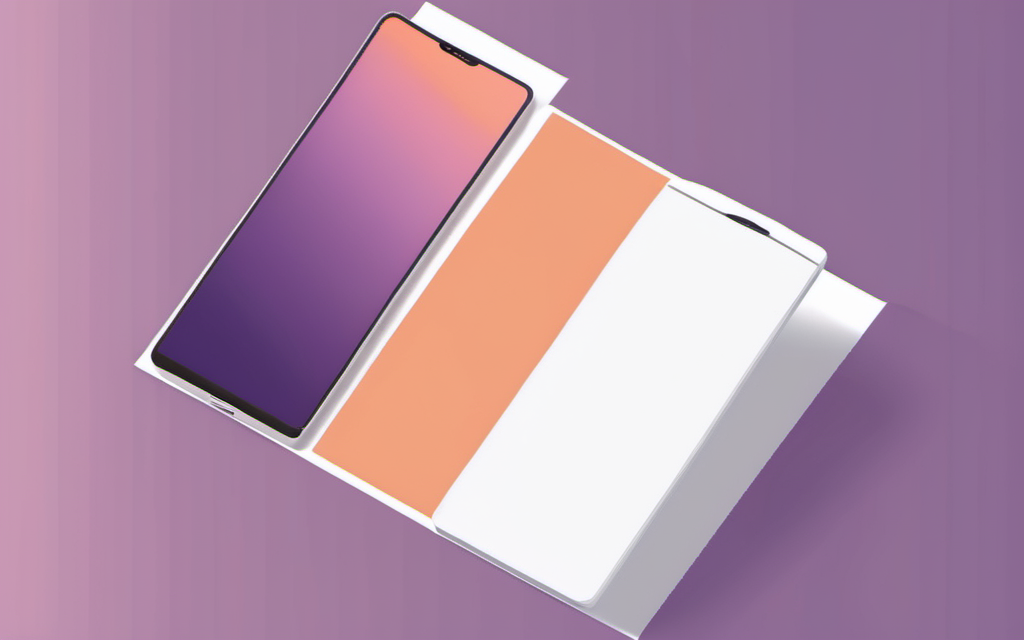
Color space. Print uses CMYK (cyan, magenta, yellow, key/black); screens use RGB. The same blue that pops on a phone will look duller and slightly shifted on paper because CMYK can’t reproduce the full RGB gamut. A poster designed in RGB and printed without a CMYK version will look noticeably washed out. This is why print-ready gigs at the professional tier ship a CMYK file in addition to the RGB one; our 11-gig scrape shows this becoming standard on the print-focused sellers.
Resolution. A screen at 1080p needs roughly 96 DPI to look sharp. Print needs 300 DPI at full physical size to avoid visible pixelation. That’s not a minor difference; a 72-DPI file blown up to 24×36 inches will look mushy up close, and it’s the difference between a flyer people keep and one that ends up in the bin. This is exactly why our scrape flags Basic-tier gigs quoting “72 DPI” as a yellow flag for print orders.
Size and layout. A screen poster is judged at the size it’s viewed (a phone, a social feed, a digital sign). A print poster is judged at its physical dimensions (8.5×11, 18×24, 24×36, billboard). Typography that reads on screen needs more leading and larger minimums on paper, because print has no pixel-grid forgiveness and you’re often reading at arm’s length or farther.
Distribution channel. Digital posters can be updated, A/B tested, and re-targeted indefinitely. Print posters are a one-shot physical commitment; once inked, they’re fixed, and you paid for paper and shipping. This is why campaigns often order a print set for the physical touchpoints and a digital export for the same artwork to run on social.
File handoff. What you actually receive:
- Digital-only: PNG or JPG, RGB, sized for the destination (story 1080×1920, feed 1080×1080, banner at its pixel width).
- Print-ready: PDF/X, CMYK, 300 DPI at final size, with bleed and trim marks.
- Both (the tier sweet spot we described above): the same artwork in both color spaces, plus a source file if the tier includes one.
If you get one file that’s a “both” claim but only ships RGB at 72 DPI, that’s a digital-only file wearing a print label, the most common print-buyer mistake in our data.
Rule of thumb: decide where the poster lives before you brief a designer. If it’s physical, ask for CMYK at 300 DPI with bleed, and source file. If it’s digital, ask for RGB at destination pixel size. If it’s both, get the print files and a matched digital export; never resize a print file down for social.
Need to decide between the two? Our poster design tips guide covers the seven principles that make a poster work in either format. For what each tier actually costs, see the poster design cost guide with our full 11-gig pricing dataset. Deciding who executes the spec? Our how to choose a poster designer guide screens the 11 top-rated gigs against print-ready requirements.
Related Resources
Poster Design Cluster:
- Poster Design Tips Guide — 7 principles
- Poster Design Cost Guide — 11-gig 2026 pricing data
- How to Choose a Poster Designer — 4-metric screening of 11 gigs
- Poster Design Cost Guide — Real 11-gig pricing and hidden costs
- Event Poster Design Guide — Step-by-step for events
- How to Brief a Designer — Briefing for print + digital deliverables
Logo Design Cluster (Shared Principles):
- What Makes a Good Logo — Visual hierarchy across formats
- Vector vs Raster Logo Files — File formats that drive print vs digital decisions
- How Much Does Logo Design Cost — For multi-format brand assets
Services:
- Poster Design on Fiverr — Event, promo & brand posters
- Logo Design on Fiverr — Vetted designers, transparent pricing
This article contains affiliate links. We may earn a commission at no extra cost to you.
Get It Designed
Poster Design
Event posters, promotional materials, brand campaigns — get stunning poster designs from experienced freelance designers. Real 2026 pricing from 11 tracked Fiverr gigs, deliverable differences by tier, and what to check before you order.
Find Poster Designers on Fiverr*Affiliate links — we may earn a commission