Logo Placement Mistakes on T-Shirts and Staff Wear (2026)
Xin Liu · Founder & Design Service Advisor
Xin helps business owners navigate the freelance design marketplace. He researches platforms, compares services, and publishes practical guides to help you make confident hiring decisions.
Put your logo on a staff t-shirt and it stops being a graphic asset and becomes a garment. The rules change: your mark gets printed or embroidered on moving fabric, at sizes that flatter some placements and wreck others, in a color count your print method may not support. Every one of those mistakes is cheap to avoid before you hand the file to a print shop, and expensive to fix after 30 uniforms are stitched.
This guide walks through the placement mistakes we see most on staff apparel, with the sizing numbers that matter and the file specs to confirm before you order.
The Left Chest Is Standard, If Your Logo Survives at 3 Inches
The most common placement is the left chest, the spot a badge would sit. The standard is:
- Width: 3 to 4 inches (7.5 to 10 cm)
- Position: about 3 inches from the shoulder seam, centered on the chest
The catch: at 3 inches wide, most logos are already small enough that their weakest parts show. Detail that reads fine on a website (thin strokes, small lettering, fine iconography) disappears or blurs on fabric. Before you commit to chest placement, shrink your logo file to 3 inches wide and look at it at arm’s length. If it looks muddy, you need a simplified version, not a better print.
Mistake: printing the full-resolution web logo at chest size and wondering why it looks like a gray smear.
Sleeve Logos Have a Minimum Practical Size
Sleeve branding is popular on staff wear because it’s subtle, but the sleeve is one of the hardest placements to get right:
- Sleeve width is about 2.5 to 3 inches at the widest point of a short sleeve
- Logo height should stay under about 2 inches; anything taller looks oversized on the sleeve
- Center on the outer seam and keep the artwork within the print-safe area so it doesn’t wrap to the underarm
Mistake: using the same 3.5-inch chest artwork on the sleeve. It will look like a patch, not a print.
Back Prints Are Where People Blow Up the Size
Back-of-shirt branding is where most staff-wear orders actually go wrong, and it’s almost always the size:
| Placement | Width | Height from top |
|---|---|---|
| Small back logo | 5 to 6 in | ~4 in |
| Standard back print | 10 to 12 in | ~12 in |
| Oversized / graphic back | 13 to 15 in | ~14 in |
A 12-inch-wide back print should be the widest part of the logo, not the full design stacked on top of the shirt’s shoulder line. If your logo is a tall, stacked layout (wordmark on top, tagline below, icon above that), a 12-inch back print will look squeezed; the tagline ends up 1 inch tall and unreadable.
Mistake: scaling the full multi-line lockup to fit 12 inches and ending up with a tagline no one can read at conversation distance.
Chest, Sleeve, and Back: Keep the Same Logo in Three Sizes
Most staff orders print the same mark in two or three places at once (left chest + back, or sleeve + back). The mistake is handing the printer one file and expecting it to work at all three sizes. You need:
- A chest version, the simplest form of your mark, at 3 to 4 inches
- A back version, the full lockup, sized to the widest part
- A sleeve version, typically just the icon or monogram, under 2 inches
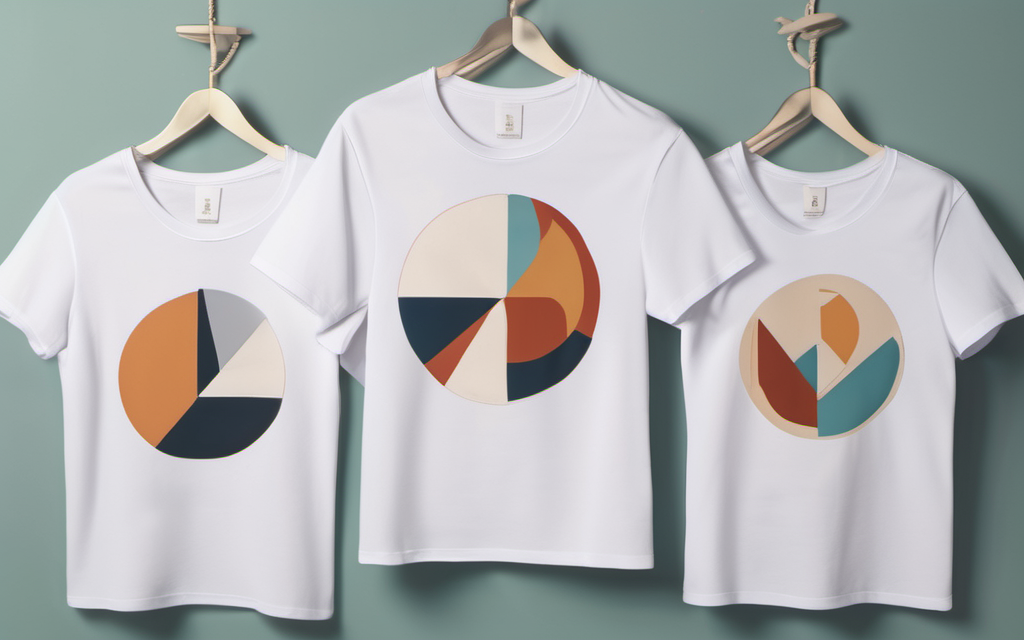
If your current logo has no simplified form, that’s a legitimate reason to commission one before the print run, not after. A designer can produce the three scaled variants from the vector source in one sitting.
The File Specs Your Printer Actually Needs
Before you order staff t-shirts, confirm the logo files meet what the print method requires:
- Vector source file (AI, EPS, or SVG): required for screen printing stencils and embroidery digitizing
- Single-color version: most print runs use one ink color for cost; your logo must survive flattened to one color
- Pantone (PMS) color: if you need the brand color to match across batches, give the printer the PMS code, not an RGB hex
- Minimum stitch size for embroidery: embroidery can’t stitch details smaller than about 1/16 inch (1.5 mm); anything finer in your logo will be lost in the stitching
Mistake: sending a PNG. Printers can work from rasters in a pinch, but the quality ceiling is low and the file locks you into one size.
The deliverable matrix in our logo pricing guide shows which Fiverr tiers include vector source files and which don’t; that’s the single most common “my print looks bad” root cause we see.
Print Method Changes What “Good” Means
The same logo can look sharp screen-printed and muddy embroidered, or vice versa. Each method holds different detail levels, so a print-method mismatch can turn an otherwise correct file into a muddy result:
| Method | Holds | Struggles with |
|---|---|---|
| Screen print | Bold shapes, 1 to 4 color counts, large areas | Fine detail, gradients, many colors |
| Embroidery | Textured, premium look; durable | Fine lettering, complex iconography, small sizes |
| DTG (direct-to-garment) | Detail and color counts, smaller runs | Very large dark-color areas |
If your staff t-shirt order is under ~50 units, DTG usually beats embroidery on detail; for 50+, embroidery and screen print win on cost-per-unit. Match the method to the logo’s detail level, not the other way around.
A 60-Second Pre-Print Checklist
- Chest version sized to 3 to 4 inches and tested at arm’s length
- Back version sized to the widest mark part, not the full stack
- Sleeve version under 2 inches, outer seam placement
- Vector source file (AI/EPS/SVG) confirmed in the package
- Single-color version tested; logo survives one ink
- PMS color code provided for the brand color
- Print method matched to detail level (bold → screen, detailed → DTG, premium → embroidery)
Most of these are solved in a conversation with your designer before the print order, not at the print shop.
This article contains affiliate links; we may earn a commission at no extra cost to you. Full disclosure.
Need a logo simplified for apparel? Browse logo designers on Fiverr. Filter for sellers who list “vector file” and “print-ready” in the package; that’s the two-line spec that prevents most placement problems.
Last updated: September 2026. Placement and sizing figures are standard apparel production specs. Vector-file and print-method requirements sourced from our 31-gig Fiverr deliverable dataset. Affiliate links support our free guides at no extra cost to you.
Related Resources
Logo Design Cluster:
- Common Logo Design Mistakes — the broader trap matrix (what each Fiverr tier includes)
- Logo Design Pricing Guide — which tier gets you vector source files
- What Makes a Good Logo — evaluating your mark before you print it
- Vector vs Raster Logo Files — why the source file matters for print
Services:
- Logo Design on Fiverr — vetted designers, transparent pricing
This article contains affiliate links. We may earn a commission at no extra cost to you.
Get It Designed
Logo Design
Get a unique, memorable logo designed by professional freelancers. From concept to final files — your brand identity starts here. Real 2026 pricing from 31 tracked Fiverr gigs, deliverable differences by tier, and what to check before you order.
Browse Logo Designers on Fiverr*Affiliate links — we may earn a commission